Start with the file, not a speed test
A three-page scanned zine can take longer to upload than a forty-page typed booklet. The forty-page booklet can still take longer to become searchable. Those possibilities matter when an AI tool displays one spinner for both operations. If you compress the zine and swap your network connection in the same trial, the next run might improve without telling you why.
This methods guide uses a November 2 W3C Resource Timing draft as a reference for separating observations. The browser can expose request and response timestamps for resources, subject to limits such as cross-origin timing access. Those timestamps are useful clues about parts of a request. They do not by themselves say when an AI service finished recognizing text, building a search index or making a file available to answer questions.
Imagine a student zine collective preparing to search a small collection of its own publications. Its editor wants to determine whether to shrink embedded images, split an issue into smaller files, or change how the team connects for uploads. The examples here are hypothetical. No file transfers or cable tests were performed for this article.
Start with one answerable question: which change makes the first reliable answer available sooner? A completed progress bar is worth recording, but the collective needs a result it can check against the page. That is why the trial should follow the file past the upload step and include the first usable answer. A measure tied to the reader’s goal can keep a small gain in the wrong interval from driving the whole decision.
Source: W3C: Resource Timing Candidate Recommendation Draft ↗ · MDN: Server-Timing header ↗ · Cloudflare: How its network speed test works ↗ · UGREEN authorized distributor: 80431 braided RJ45 Ethernet cable ↗
Give the spinner three landmarks
Draw a line with four marks: file selected, upload acknowledged, file ready, and first useful answer. The gaps are potential measurements. Your interface might expose all four, only two, or a message whose meaning is unclear. Use the language the tool actually displays and write down what you cannot observe. Never quietly treat an interface label as proof of an internal event.
The first gap can include work before the browser transmits anything. A file picker can close before an app finishes reading a file or starts the upload. A network request may then send data, wait for a response, and receive an acknowledgment. A progress indicator may represent application events rather than an exact count of bytes sent. Even if you can see a request finish, the service may continue processing the document afterward.
The middle gap is where an AI workflow can diverge from an ordinary transfer. A service may need to extract text from pages or prepare its search feature before you can use the material. Do not assume a particular service does all these things. Confirm what its documentation says and treat the remainder as a possible explanation. Where the service never exposes a ready signal, measure from selection to a repeatable visible result instead.
The final gap begins when you submit your fixed question. The answer may stream, so decide whether to record the first visible output or the complete usable result. These are different events. A fragment that starts quickly but takes a long time to finish may still delay the person trying to check a page. Use the same endpoint for every run.
If you operate the application yourself, you can add a job identifier and server-side timings for the stages you control. The Server-Timing header can expose application-defined metrics if the server sends them. Without those measurements, report the visible wait and keep your explanation conditional. A long request can be consistent with a queue, network delay or several other causes at once.
Make a small set of files that changes one thing at a time
Use invented material rather than customer files, student records or another person’s unpublished work. A test document could contain a table of fictional zine issues and a unique phrase on the last page. Choose a simple question with an answer you know in advance. For example, ask what color the document assigns to the fictional April cover and where the answer appears. Put that information in selectable text so you can check the result without guessing what the model saw.
Build a baseline, then make two variants. One keeps the page count and text steady but uses a larger embedded image to increase bytes. The other adds pages of synthetic material while keeping total file size roughly comparable. Write down the actual file sizes and page counts after export. A document editor may compress a large-looking image enough that the files are closer in size than you expected.
The variants do not automatically isolate the server’s workload. A larger image can change both the transfer and the decoding work. Adding pages can change the amount of text, the location of the answer or the complexity of the PDF. Keep the layouts simple and record differences you cannot eliminate. The design narrows the question; it does not guarantee a clean causal conclusion.
A more useful follow-up can pair a selectable-text page with a rendered image of that same page. That comparison asks how document representation affects the time to a correct answer. It differs from the first byte-size comparison. The same-looking page may carry different text information inside the file, and an AI service may handle those representations differently. Check that your question still has a fair answer in both versions.
Keep the trials modest, within the service’s limits and your own budget. A few small files are enough to practice identifying stages. There is no reason to upload hundreds of pages merely to see whether the wait becomes visible. If the tool provides no way to reset or remove experimental files, use a project where keeping that harmless material will not disrupt real work.
Use a wired route as a comparison, if it is available
Once you have a repeatable input, compare the connection on the same machine if the setting allows it. Try the same baseline over the usual Wi-Fi connection and over wired Ethernet. Verify which interface is active. Keep the service, account, file and question constant. A test from a different computer introduces its browser, storage, settings and other work, so it answers a broader question.
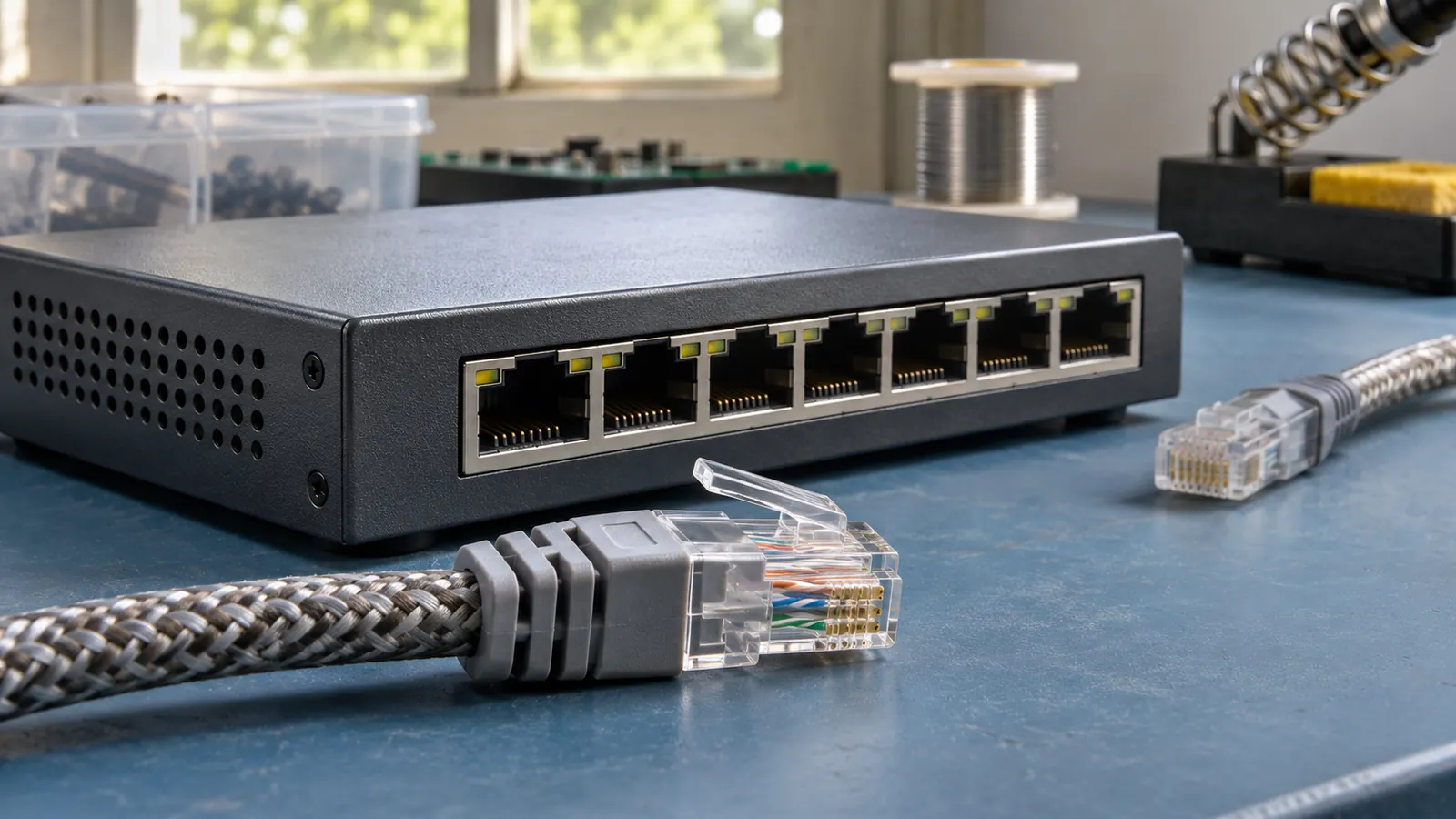
Use a suitable cable you already own. An optional example is the UGREEN six-foot braided RJ45 Ethernet cable, model 80431 (affiliate link); check for an Ethernet port or compatible adapter at the computer and a matching port on the network equipment. The cable’s category label alone says nothing about the speed of your internet plan, the negotiated link or the time an AI provider spends on the document.
As an Amazon Associate I earn from qualifying purchases. This optional recommendation is not a claim of hands-on testing.
Alternate conditions when you can. If all Wi-Fi runs happen at lunch and all wired runs happen late at night, you may be comparing different levels of household or service load. A simple sequence of Wi-Fi, wired, Wi-Fi and wired gives you an opportunity to see whether the difference repeats. If repeated uploads use cached processing, note that too; a faster second upload may be the result of recognition rather than a new network path.
A separate network test can provide context. Cloudflare describes measuring delay under load as well as unloaded delay, alongside throughput and other network characteristics. A result from that test concerns its own destination and conditions, not the route to a particular AI service. Use it to identify another question, such as whether an ongoing backup coincides with long waits, rather than to declare that your AI upload must behave identically.
A wired trial can remove one wireless hop from the experiment. It still shares the rest of the path and the same remote service. If the wired and wireless trials differ only in the upload interval, that is a useful observation. If both pause equally after acknowledgment, changing the cable again has little evidential support as the next step.
Read the pattern before choosing a fix
Suppose the larger same-page file takes longer to reach the acknowledgment, while the file with extra pages takes longer to show ready. That fictional pattern suggests two different lines of investigation. For the first, see whether the document can use smaller images without losing necessary detail. For the second, try a shorter document with the same kind of content and check whether the service exposes a processing status or a documented limit. Neither pattern by itself identifies the provider’s implementation.
If the file becomes ready at about the same time but the answer takes longer, inspect the last stage. A response that locates the correct page, names its evidence and finishes is a better target than the appearance of the first few words. A faster wrong answer does not improve the workflow. Record incorrect, incomplete and timed-out results as separate outcomes instead of dropping them from the comparison.
Avoid chasing a tiny difference in a handful of runs. Record the observed range alongside a typical result and keep an outlier with its context. Perhaps an upload collided with a backup, or the app required a fresh sign-in. That observation can explain why a session is different, but only if you wrote it down. Treat a pattern that disappears when you repeat the trial as unresolved.
A practical decision note can be short: the comparison, the stage that changed, the expected answer, the known confounders and the next smallest experiment. If you decide to compress files, keep the original and check whether the new export still retains legible captions or other needed detail. If you split a document, check that the new grouping still supports questions that depend on more than one section. The right fix protects the job the file was meant to do.
When there is no clear difference, say so. You may have reached the limits of what the interface exposes. The useful result can be that network changes failed to produce a repeatable improvement under these conditions, and that the next question belongs in the service’s own diagnostics. That is a stronger basis for action than a confident explanation inferred from a single spinner.
If two people need to compare results, have each write down the exact interface event they used as a stopping point. One person might stop when a file thumbnail appears; another might wait until the first cited answer. Agree on the stopping point before comparing numbers. Otherwise the apparent difference can come entirely from how the stopwatch was used.
Try this, then make it yours.
Use three small synthetic files and one authorized AI tool: a baseline, a larger version with the same page count, and a longer version with roughly the same byte size. Record upload, ready and answer milestones where the interface exposes them.
Follow the signal.
Our reporting starts here. Practical suggestions are our analysis, and vendor performance statements are claims unless independently verified. We haven’t hands-on tested this release.
- W3C: Resource Timing Candidate Recommendation Draft ↗ · 2026-11-02
- MDN: Server-Timing header ↗
- Cloudflare: How its network speed test works ↗
- UGREEN authorized distributor: 80431 braided RJ45 Ethernet cable ↗