Start with what a viewer can see
Two people look at a painting on a screen. One sees an empty table with a bright edge. The other sees an abandoned meal and begins inventing the person who left it. Both reactions can lead somewhere interesting, as long as the exhibition does not present the invented person as part of the record.
On November 5, the Courtauld announced The Art of Looking, an online project with Google Arts & Culture that includes twelve stories by scholars and curators. The partners also announced an experimental artist residency to explore AI in cultural metadata workflows. The online stories and the residency are different parts of the project. An announcement about exploring AI metadata does not establish that AI authored the exhibition’s interpretations or that the experiment has already validated a cataloging system.
The release raises a useful practical question for anyone showing images on a screen: what can a viewer learn from looking, and what must the display explain? An AI assistant might help propose a descriptive label, generate a question or organize a draft list of images. It does not gain access to an artist’s intention from a convincing sentence.
The following method is for a small display you can build with material you are allowed to use. It works for a school exhibition, a design critique or an ordinary screen at home. The task is to make looking easier while keeping a visible route from each claim to its source.
Source: The Courtauld: The Art of Looking exhibition announcement ↗ · Google: Explore The Art of Looking with the Courtauld ↗ · Smithsonian: Open Access FAQ and asset credit guidance ↗ · Hisense: 65S7SG CanvasTV model and mounting information ↗
Build one exhibit item out of three parts
Begin with one work and separate three things: the image being shown, the catalog information you can verify, and the interpretation you want to offer. You can keep those parts in a simple project folder with a short record beside the image.
Imagine a fictional still life called Blue Jug. The source record identifies the image, gives the credited maker and describes the medium. The downloaded image is a particular reproduction, with its own framing and resolution. Your label might ask whether the bright edge of the table draws the eye toward the jug. That is an invitation to look, rather than another catalog fact.
Put the source identifier beside the reproduction in your notes. If you make a new export, keep the identifier with it. A short name like Blue Jug can be shared by different objects, and an appealing thumbnail may not be enough to distinguish them. A source link gives a viewer a way to check which item you meant.
If you have a crop, name it as a crop. Show the whole image first or make it easy to reach. A detail of the jug can support a discussion of reflected color, but a viewer cannot judge how it relates to the rest of the painting without seeing where it came from.
Write down what you changed. Cropped to show the table edge is clearer than enhanced. If an image was digitally recolored or reconstructed, say so where people see the result. An original digital artwork, a reproduction of a physical work and a generated illustration can each belong in an exhibition. They need labels that let a reader understand which one they are seeing.
This structure also gives an AI assistant a bounded role. You can supply a verified description and ask for a shorter visitor-facing draft. You can ask it to suggest questions grounded in what is visible. Keep the answer in the interpretation file until someone compares it with the actual image and source record.
Write a label that separates fact from invitation
Try drafting two lines before asking a model for help. The first says what a viewer needs in order to identify the work. The second asks a question they can begin answering with their eyes. For the fictional still life, a question could be where the table edge disappears behind the jug. It asks for attention to a particular relation, not for agreement with a grand conclusion.
A label can also contain interpretation, but give it a recognizable voice. A curator may propose that the empty space changes the mood. An artist’s published statement may describe a different concern. A student may see something neither mentions. Attribution allows these readings to sit beside one another without making them equivalent kinds of evidence.
When reviewing an AI draft, underline any claim that could be checked outside the picture. Dates, names, materials and statements about what an artist believed need a source. An AI description may be useful for identifying things to inspect, but a confident attribution should not survive simply because it sounds plausible.
Then underline claims about the picture itself. Check them against the same version a visitor will see. A caption that calls an edge blue might make sense for one reproduction and look odd on another. If the crop loses the edge altogether, the label no longer points to visible evidence. Fix the pairing before polishing the wording.
Use plain language where it helps someone enter the work. Explain a technical term through a visible example if the term earns its place. Leave space for a visitor to disagree. The best question for a small exhibition is often one the reader can investigate immediately, rather than one that requires trusting the authority of the screen.
Make source and reuse information travel with the image
Finding an image online does not tell you how it may be used. Check the item’s source and its stated terms for the intended display. Keep that information with the file so another person does not have to reconstruct the decision later.
The Smithsonian’s Open Access FAQ gives one example of an institution marking eligible assets CC0. It explains that attribution is not required for those assets but recommends providing basic credit and an asset link to help people find the source. It also notes that other rights or restrictions can still matter. Do not generalize a rule for a marked Smithsonian asset to every museum image or every use.
For a group project, make the practical rule easy to apply. Keep a source card with the item title, credited creator, collection, link, terms and version used. If you cannot establish permission for your intended use, choose a different item or get the necessary permission. For a rehearsal, use an image you made and are free to show.
The source card also makes later corrections possible. A catalog record may be updated. A collaborator may find that a display caption combined details from two works. If you know which item and reproduction you used, you can trace the error and fix the correct display rather than guessing from the title.
Avoid asking AI to fill empty source fields with its best guess. A blank date is an honest limit, and a documented range can be more accurate than a precise invented year. Keep proposed entries visibly separate from approved ones if you use a model to suggest metadata. The people who inherit the display should be able to tell which fields were actually checked.
Review the picture where it will be seen
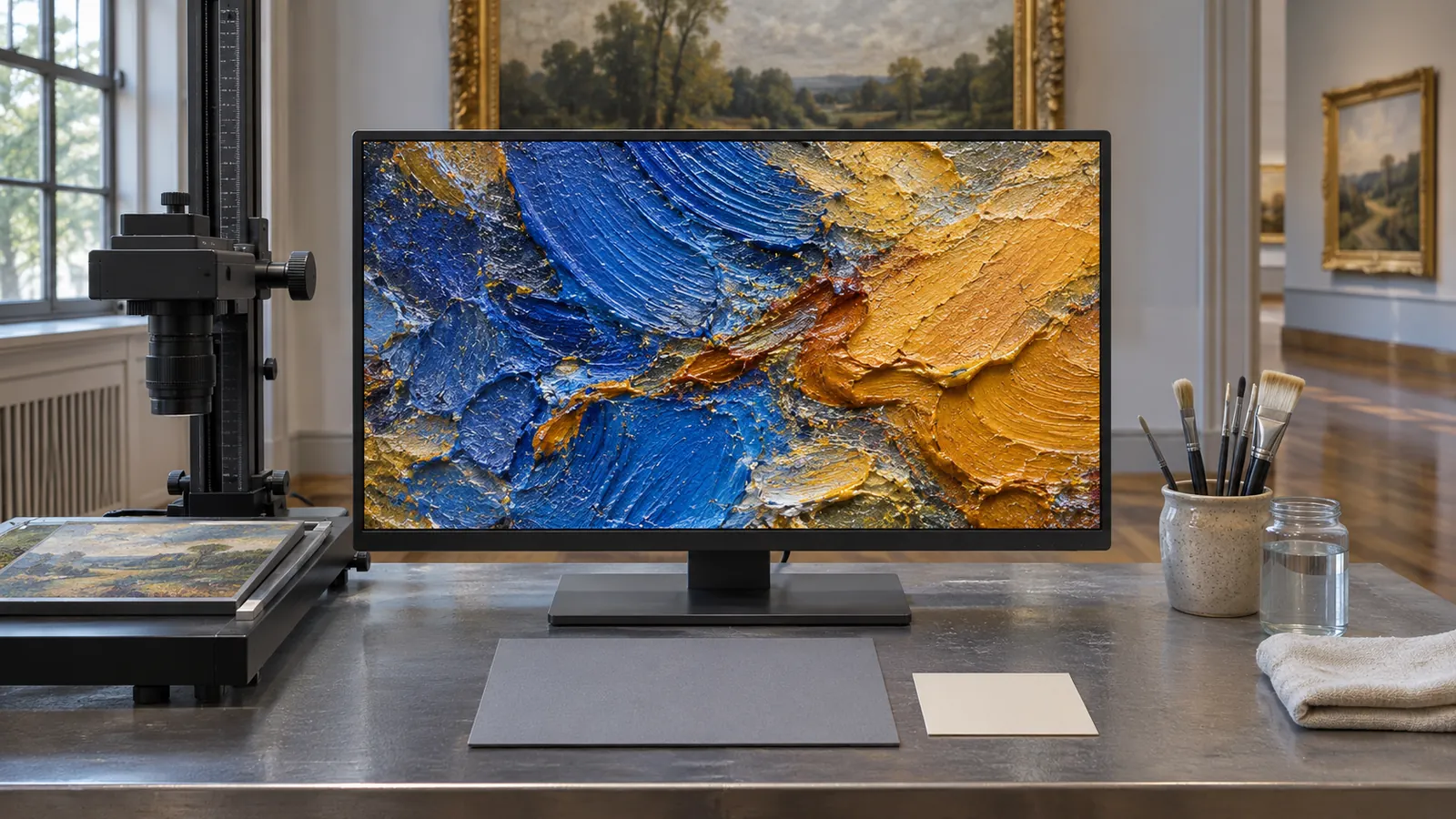
A display review begins at the viewing distance the project expects. An image that fills an editing window may be hard to inspect from across a room. A caption that works on a laptop may be too small on a screen mounted farther away. These are questions about your setup, not generic claims about which display is best.
Check the intended frame on a screen you already have. Confirm that the image has not been stretched or cropped by the display setting. Place the full view beside a detail where feasible, or alternate them with a clear way back. If you use a separate source card, test whether a visitor can connect it to the right image without guessing.
For an optional example of a dedicated art display, Hisense lists an art mode with personal uploads and an UltraSlim mount for the Hisense 65-inch S7 CanvasTV, model 65S7SG (affiliate link). Hisense also describes a matte screen finish and mounting with another person; consult the model instructions and check the intended wall and mount before installation.
As an Amazon Associate I earn from qualifying purchases. This optional recommendation is not a claim of hands-on testing.
An art mode does not certify the color of a reproduction. Even a careful screen review tells you how the file looks in that room under those conditions. It does not establish the appearance of the physical work. If color or scale matters to the interpretation, describe the limit and direct the visitor to the source or physical work where appropriate.
Keep a way to read the label that does not depend on seeing a tiny block of text at a distance. A readable print card or a nearby digital page can give the viewer control. If your exhibit runs on a loop, make important information available outside that loop, so someone can take the time they need rather than waiting for it to return.
Run a one-work rehearsal before making the whole show
Prepare one complete exhibit item. Start with a full view, add a labeled detail if it genuinely helps, and include a short source card. Write one interpretive question. Then give the display to someone who has not read your planning notes.
Ask what they can identify, which part of the image they looked at first and where they would go to check the source. Ask them to separate a detail they saw from an interpretation the label invited. Their answers are observations about that rehearsal. Do not use one viewer’s experience to claim the design works for everyone.
If they miss the connection between the crop and the full image, change how the two views are paired. If they mistake an interpretation for a fact, revise the attribution. If they cannot read the card at the expected distance, adjust placement or offer another reading route. Change the part that caused confusion before redesigning the whole display.
Finally, test the handoff to a second editor. Give them the source record and ask them to replace the displayed export with a revised one while preserving the record. If they can distinguish the master, crop, source information and AI-assisted draft, your system is easier to maintain after the opening day.
The useful connection to The Art of Looking is an invitation to give the viewer something to do with their attention. A screen can show the image, a label can orient the eye, and a source card can support further inquiry. Keep those jobs clear and the viewer gets a chance to make a judgment of their own.
Try this, then make it yours.
Use an image you can display and a screen you already own. Show the full work, one labeled crop and a short source card; ask a viewer to distinguish an observation from a proposed interpretation.
Follow the signal.
Our reporting starts here. Practical suggestions are our analysis, and vendor performance statements are claims unless independently verified. We haven’t hands-on tested this release.
- The Courtauld: The Art of Looking exhibition announcement ↗ · 2026-11-05
- Google: Explore The Art of Looking with the Courtauld ↗ · 2026-11-04
- Smithsonian: Open Access FAQ and asset credit guidance ↗
- Hisense: 65S7SG CanvasTV model and mounting information ↗